Operations
Established systems and processes to improve team efficiency, making Design one of the company’s highest performing teams.
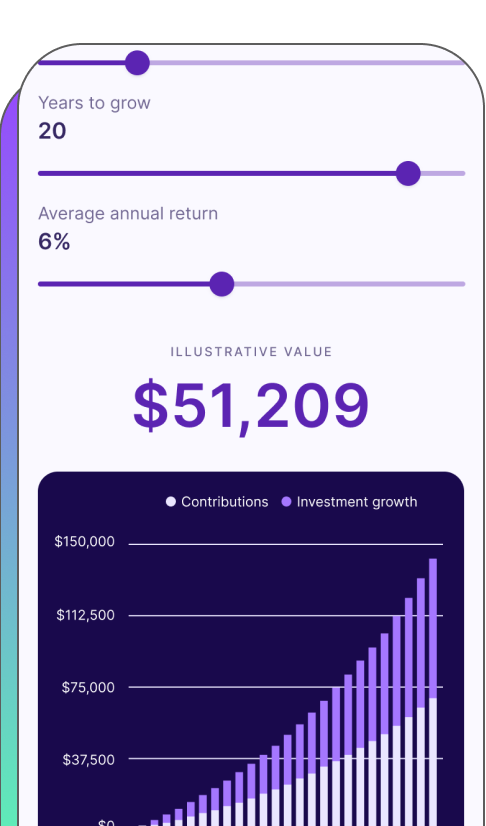
Established systems and processes to improve team efficiency, making Design one of the company’s highest performing teams.
When I first joined Fabric, the design team consisted of myself and one freelance brand designer. Within 4 years, I had built out an entire Product Design and UX Research organization, implementing processes that have consistently made Design one of the company’s top performing teams.
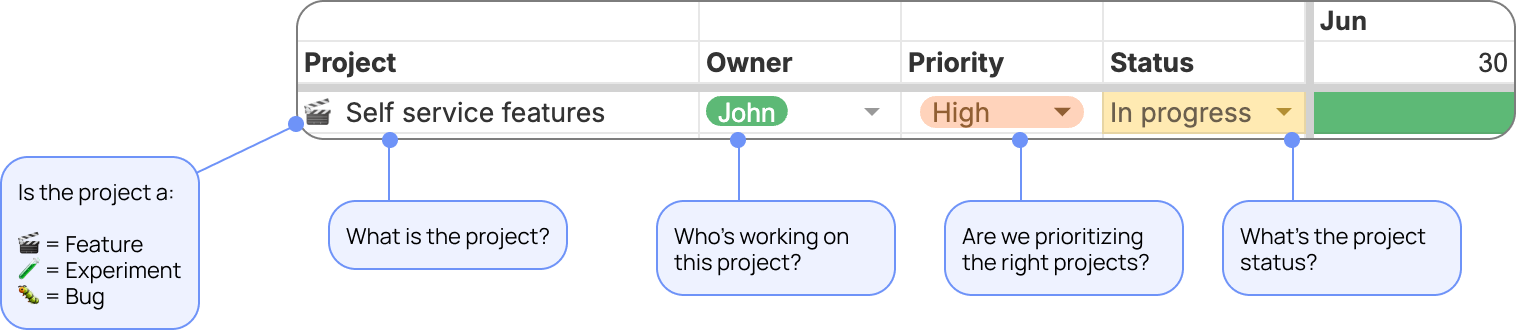
The key to our team’s success is our quarterly roadmap. Built in Google Sheets (hey, we use the technologies we have available to us), I review the roadmap with my team every Monday, going through each line item and tracking the progress of my team’s projects.
Here’s a high-level overview of the roadmap:
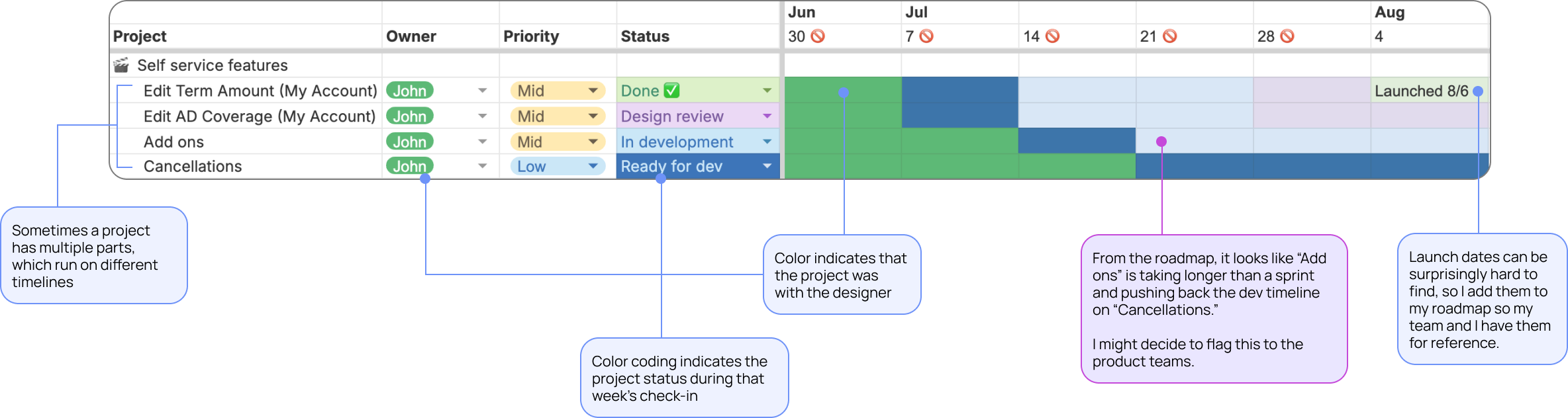
Below is what the roadmap looks like in action. From the information below, I can see that there looks to be a delay on the “Add ons” feature that is also delaying the “Cancellations” feature. This gives me information to discuss with our Product/Engineering team, to ensure that we are hitting our company OKRs. Because “Cancellations” is a low priority item, the team may decide to delay the launch in favor of more high priority items.
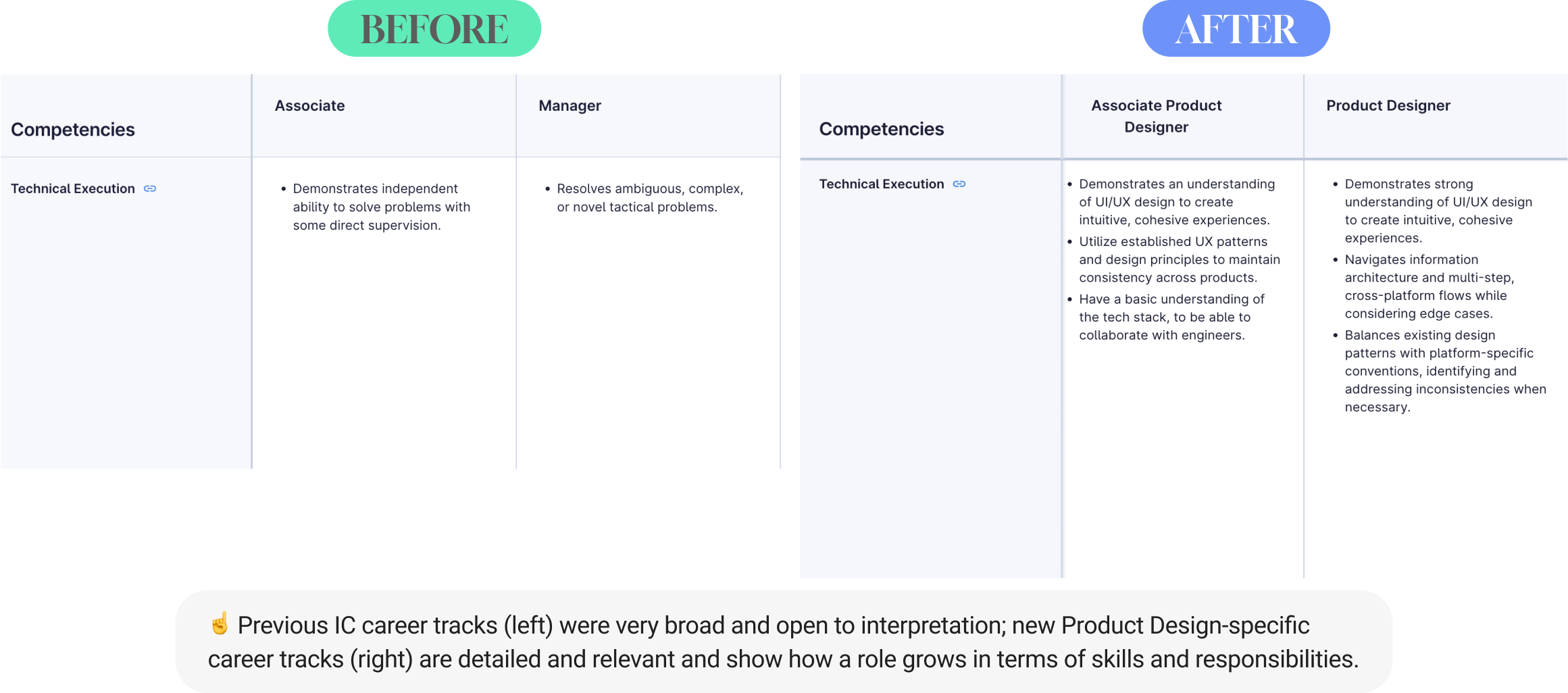
Fabric had two career tracks: Engineering and Business, which encapsulated all non-Engineering functions, including Product Design. Because of the broadness of the tracks, the designer were reliant on the growth plans that I created for them. I flagged this issue to my CEO, but he was originally hesitant to create a new career track for a small subset of the company. I partnered with my Product Director, who was struggling with the same issue on the PM side, and together we pitched that a product-driven company needed specified career tracks for its Product teams—it was crucial that our teams could see a future with the company and understand what was expected of them. We created tracks for our respective teams, working together to ensure that we had consistent leveling, and launched them to the organization.
As a result, one of my designers wrote in the performance review that the new Product Design IC tracks were “one of the most impactful tools we’ve had this year...[giving] me clear benchmarks for where I stand and where I can improve.”
My team’s Figma files were getting unwieldy. The the main issues we faced were:
We also had to solve for the fact that Figma was often used by stakeholders around the company for different purposes. Leadership and Marketing used it to reference what was live in production (our product funnels are so long that it’s usually easier to reference Figma), Engineering referenced it to determine what was ready for development, Product referenced it to see the upcoming designs that were in progress.
To tackle this issue, I researched best practices from other companies and compiled the ones that I thought would be most effective to my team. I presented the issue and recommendation to my design team, giving them room to add their own thoughts and input.
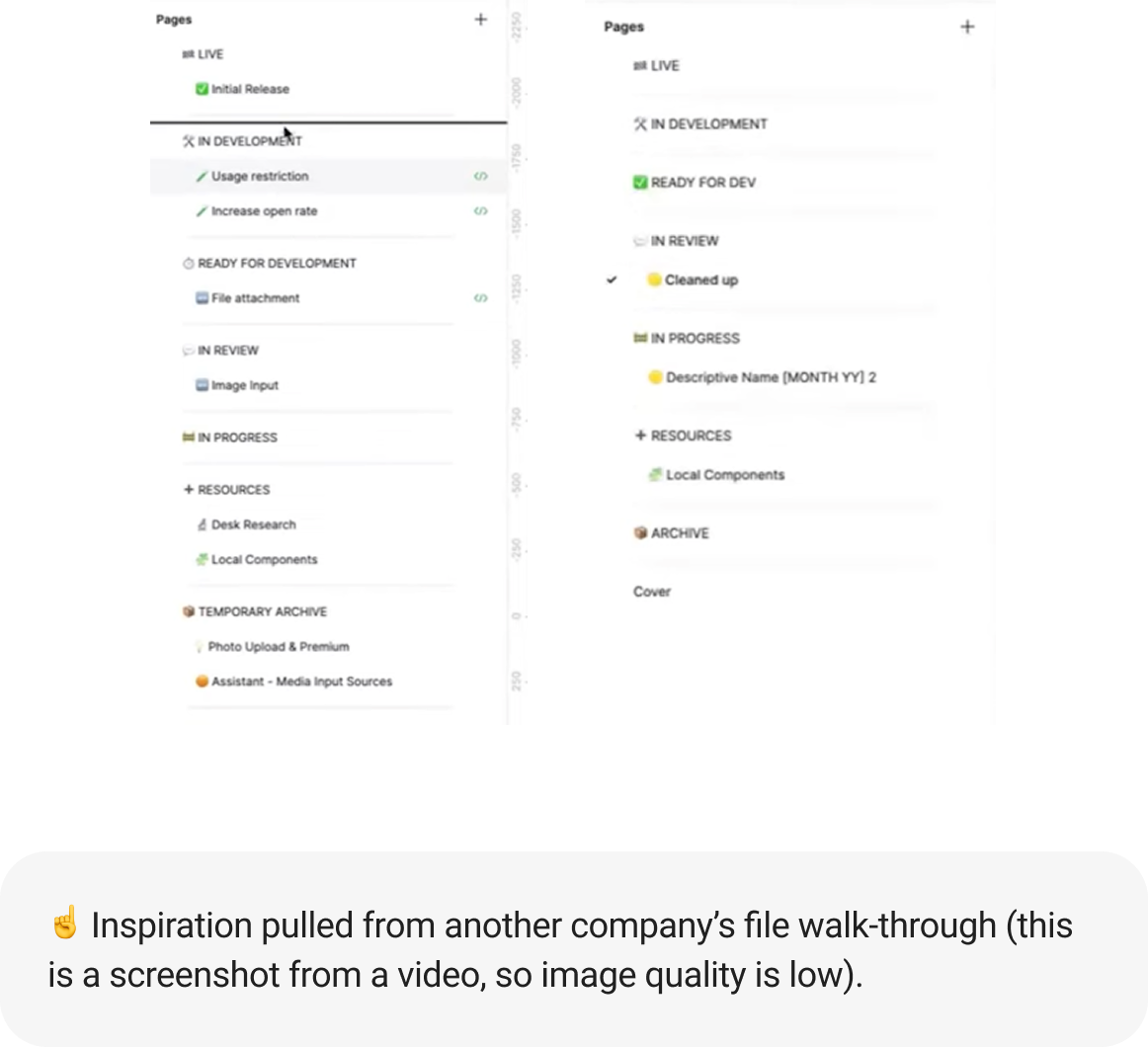
As a team, we talked about what was most important for us:
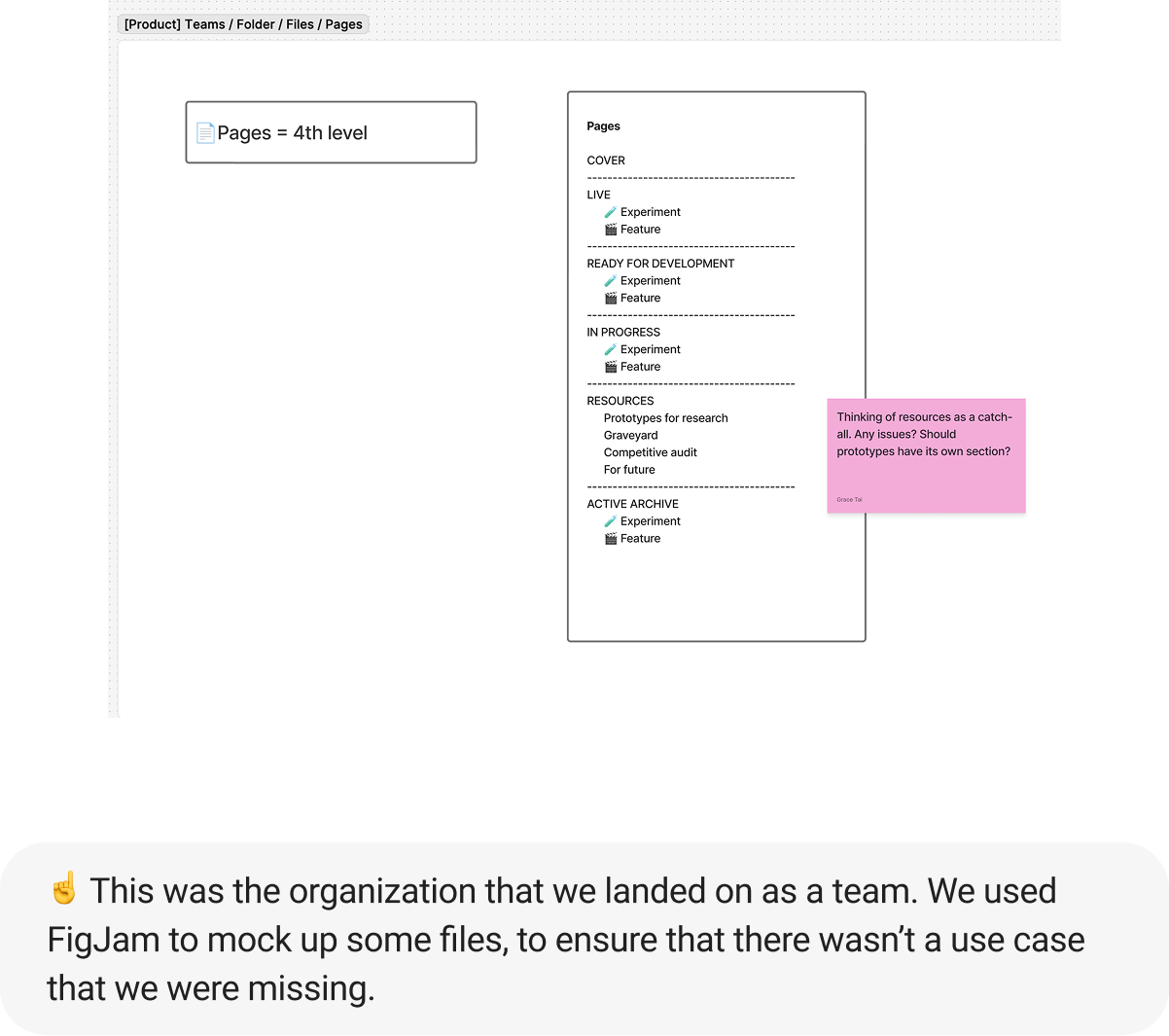
While the team was generally excited for the file reorganization, some team members were apprehensive about how the new system would affect their work flow. We agreed to do a “trial run” where we would duplicate files, so that they could still access the old files, if the new system didn’t work.
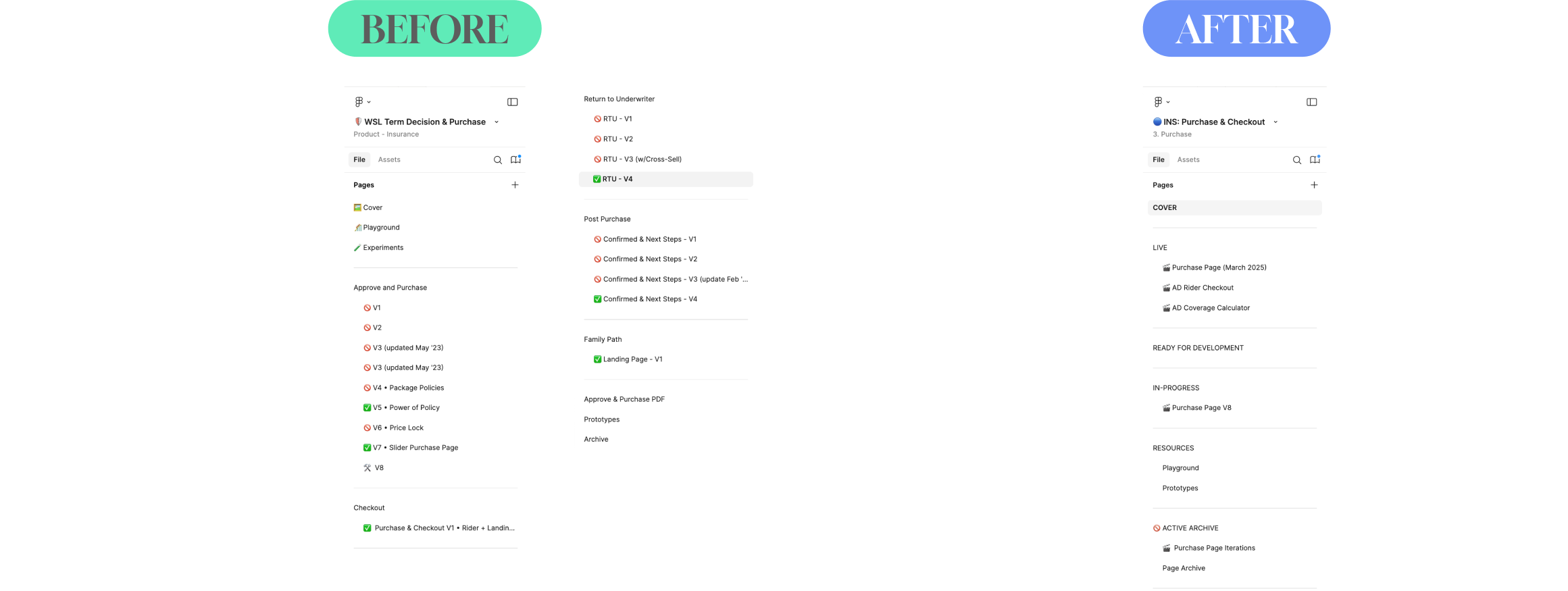
As a result of the Figma file reorganization, we were able to achieve each of our initial objectives:

